
Head to head · 2026
P32K or Q34W? 32-inch 4K against 34-inch ultrawide
The same price, the same Fast IPS panel, the same contrast. But one gives you height in 16:9, the other width in 21:9. It is not a question of quality, it is a question of profession.
Comparison
Two formats, one budget
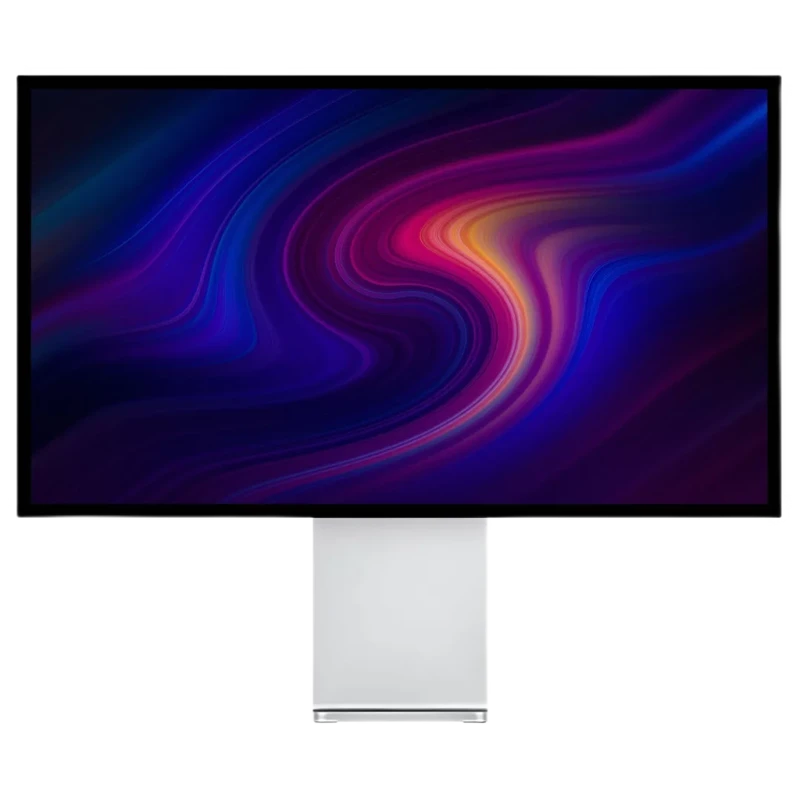
Kuycon P32K
32" · 4K · 16:9 · 144 Hz
From €769.00 incl. VAT
- Resolution3840 × 2160
- Density139 ppi
- Format16:9
- Refresh rate144 Hz
- Contrast1000:1
- Brightness500 nits
Why we recommend it: 8.3 million pixels on 32 inches: two windows side by side at full height, with nothing trimmed. The reference format for office work and editing.
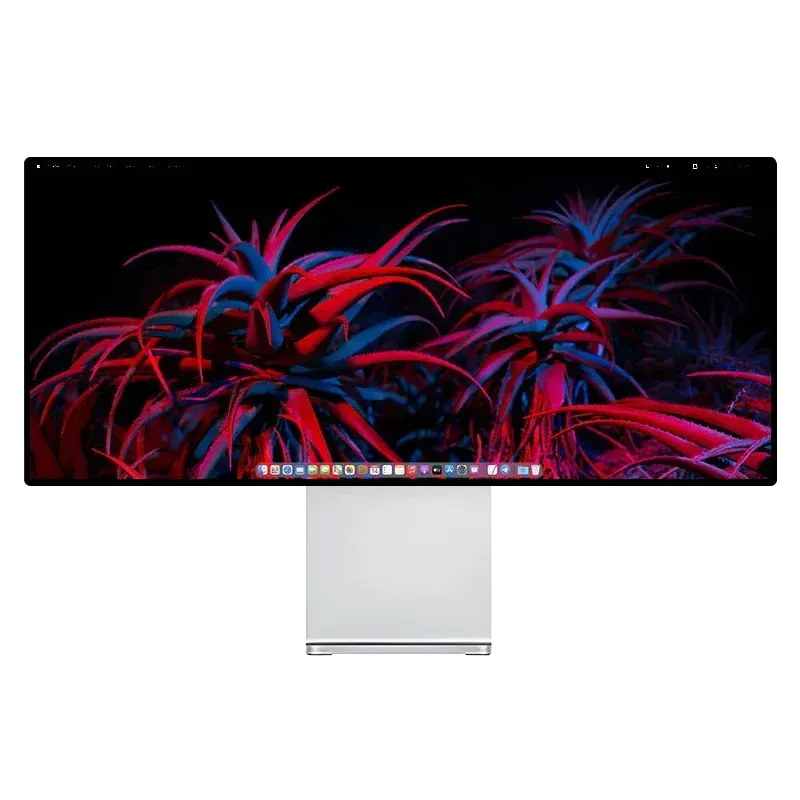
Kuycon Q34W
34" · UWQHD · 21:9 · 165 Hz
From €769.00 incl. VAT
- Resolution3440 × 1440
- Density109 ppi
- Format21:9
- Refresh rate165 Hz
- Contrast1000:1
- Brightness600 nits
Why we recommend it: 82 cm wide on a single flat panel. An editing timeline, a wide spreadsheet or three aligned windows with no bezel at all in the middle.
| P32K | Q34W | |
|---|---|---|
| Diagonal | 32 inches | 34 inches |
| Resolution | 3840 × 2160 | 3440 × 1440 |
| Density | 139 ppi | 109 ppi |
| Format | 16:9 | 21:9 ultrawide |
| Refresh rate | 144 Hz | 165 Hz |
| Brightness | 500 nits | 600 nits |
| Contrast | 1000:1 | 1000:1 |
| Curvature | flat | flat |
| Width | 71,6 cm | 82 cm |
| Price | €769.00 | €769.00 |
Manufacturer specifications. Prices are shown in your currency.
The question to ask
It is simple: in your work, are you short of height or width ?
If you read code, long documents, web pages or full-page mock-ups, you are short of height: take the P32K. Its 2160 vertical pixels against 1440 make a real difference on a document.
If you edit video, work on thirty-column spreadsheets, or constantly line up three windows, you are short of width: take the Q34W. A timeline across 82 cm with no bezel in the middle changes the way you work.
Density, the awkward point
139 ppi for the P32K, 109 ppi for the Q34W. Neither reaches the 218 ppi of Retina density. On a Mac, text there will be acceptable but not as finely drawn as on a 27-inch 5K.
Both are flat
A useful clarification, because the question comes up often: the Q34W is not curved, despite its 21:9 format. It is a flat panel, like the rest of the range. We detail that choice in curved or flat monitor.
And for gaming?
Both are suitable: 144 Hz and 165 Hz, Fast IPS panel. The Q34W has the advantage in games — 21:9 is natively supported by most recent titles and the immersion is greater. The P32K has the advantage if you play competitive titles that do not use ultrawide.
FAQ
P32K or Q34W: frequently asked questions
Which offers more workspace?
It depends on the axis. The Q34W is wider (82 cm against 71.6 cm), the P32K taller (2160 vertical pixels against 1440). For documents and code, the P32K; for editing and spreadsheets, the Q34W.
Is the Q34W curved?
No. It is a flat panel in 21:9, like the whole Kuycon range. The ultrawide format does not imply curvature.
Which one to choose for a Mac?
Neither of them if crisp text comes first: at 139 and 109 ppi, they stay far from the 218 ppi of Retina. They are, on the other hand, excellent choices if you want workspace at this budget.
Do they cost the same?
Yes, both at €769. The choice is therefore made purely on format and use, not on budget.
Which is better for gaming?
The Q34W, with 165 Hz and a 21:9 format natively supported by most recent games. The P32K remains very good at 144 Hz in 16:9.
Height or width, at equal budget
Two formats, two professions. 2-year warranty in the European Union.
See the rangeComparison written in September 2026. The specifications are those published by the manufacturer; check the product page before buying.